Why Every Student Should Know How to Make a Video Ad
How to make an advertisement video for a school project is simpler than most students think — and the skills you build will last well beyond the classroom.
Here's a quick overview of the core steps:
Plan your ad — define your message, audience, and script
Storyboard your scenes — sketch out what each shot will look like
Film your footage — use a smartphone, good lighting, and steady hands
Edit your video — use free tools like VEED, Animoto, or Filmora
Add music, text, and a call to action — make it engaging and clear
Export and share — save as MP4 and present or post your finished ad
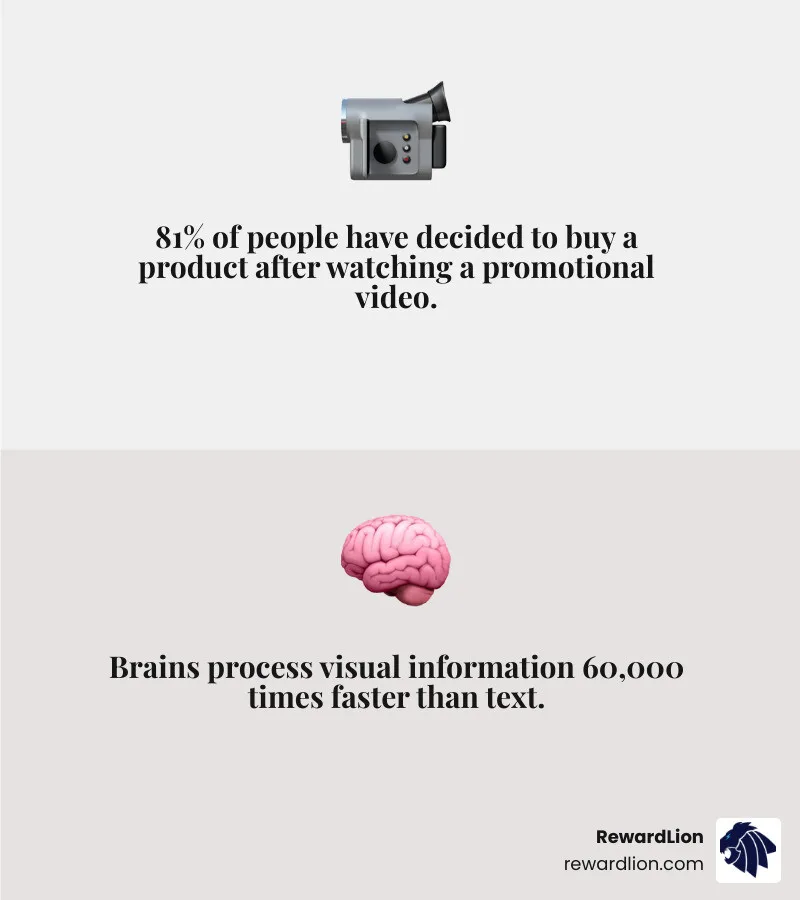
Video ads aren't just for big brands. They're one of the most powerful ways to communicate an idea — and the numbers back that up. Studies show that 81% of people have decided to buy a product after watching a promotional video, and we collectively watch 1 billion hours of YouTube every day. That same persuasive power applies to school projects too.
Whether you're promoting a fictional product, a school event, or a cause you care about, creating a video ad teaches you real-world marketing, storytelling, and digital skills — all at once.
I'm Mike Ibrahim, Founder and CEO of RewardLion and a marketing director with over a decade of experience crafting high-impact video and digital marketing strategies. My background in innovative marketing solutions gives me a unique perspective on how to make an advertisement video for a school project that's not just good enough to pass — but good enough to impress. In this guide, I'll walk you through every step, from planning to publishing.
Why Video Ads are Essential for Your School Project
In the modern classroom, static posters and standard slide decks are becoming things of the past. Visual storytelling is the new gold standard for student engagement. When you create a video, you aren't just reciting facts; you are practicing high-level persuasion skills that professional marketers use every day.
The impact of video is undeniable. Research shows that 81% of people have decided to buy a product after watching a promotional video. This isn't just about shopping; it's about audience retention. Our brains process visual information significantly faster than text, making video the ultimate tool for ensuring your teacher and classmates actually remember your presentation.
Furthermore, learning the ropes of video production offers a massive real-world application. Whether you eventually go into business, science, or the arts, being able to "sell" an idea through a lens is a top-tier professional skill. At RewardLion, we see how businesses thrive when they move from static images to dynamic video content—often seeing sales increases of up to 35% just by adding a product video. By mastering this now, you're getting a head start on the digital literacy required in the 2020s.
If you're interested in how professional video fits into a larger business strategy, you can explore more about marketing services to see how the pros scale these concepts.
Planning Your Masterpiece: How to Make an Advertisement Video for a School Project
The biggest mistake students make is picking up a camera before they’ve picked up a pen. Pre-production is the most critical phase of filmmaking. If you don’t have a plan, you’ll end up with hours of footage that doesn't make sense.
Define Your Target Audience and Message
Who is watching? If your project is about a new eco-friendly sneaker, your audience might be "active teenagers who care about the planet." If it's a recruitment video for the drama club, your audience is "students looking for a creative outlet." Use a single, clear message. Don't try to say ten things; say one thing perfectly.
Scriptwriting and Storyboarding
Your script should follow a simple arc:
The Hook: Grab attention immediately.
The Problem: Show a need or a gap.
The Solution: Introduce your "product" or idea.
The Call to Action (CTA): Tell them what to do next.
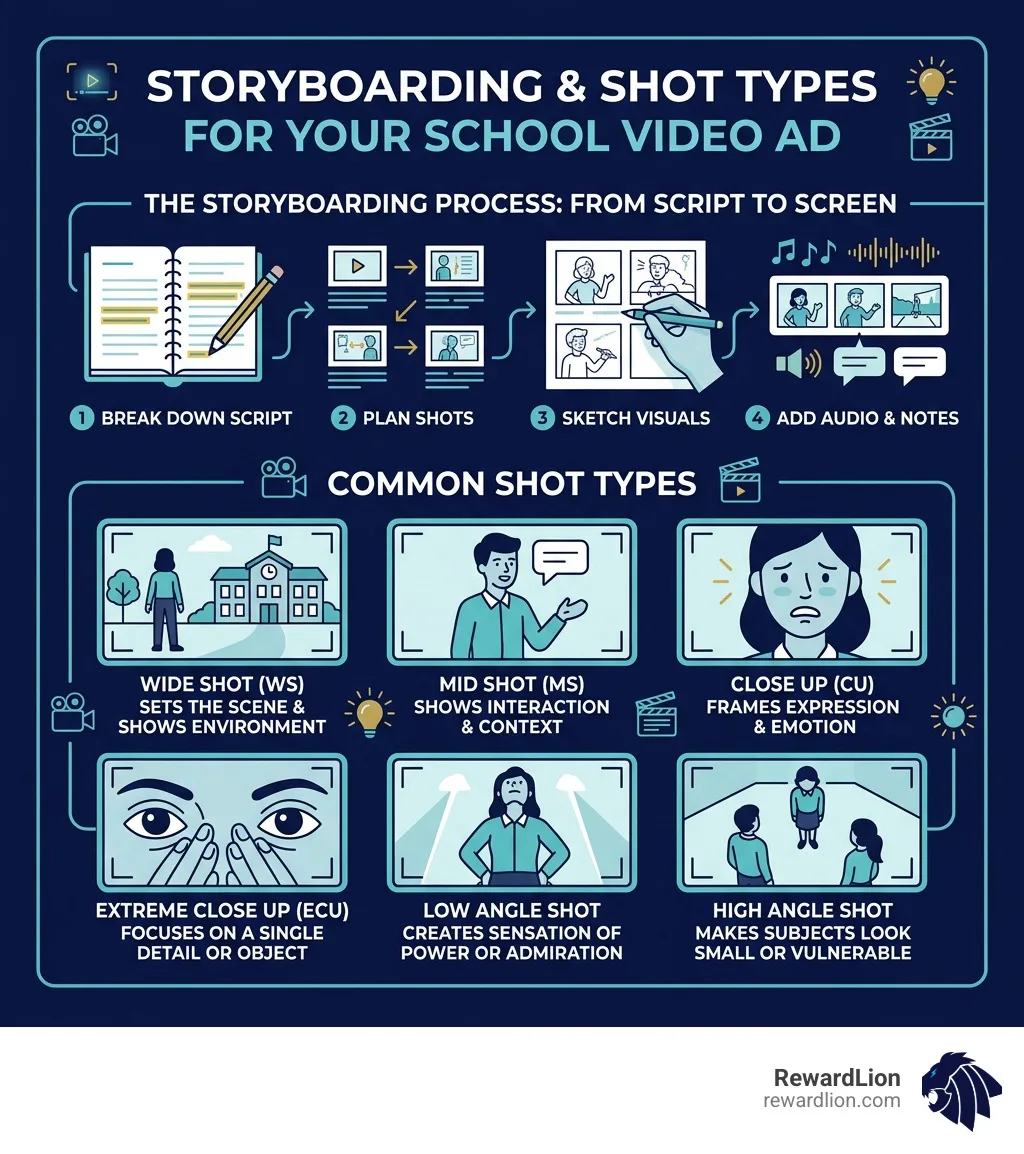
Once your script is ready, create a storyboard. This is just a series of rough sketches showing what will be on screen while the audio plays. It helps you visualize transitions and ensures you don't miss any vital shots. You can even use persuasive advertising techniques like "The Bandwagon Effect" (everyone is doing it!) or "Emotional Appeal" to make your ad more "gripping."
Filming High-Quality Footage on a Student Budget
You don't need a $2,000 DSLR to make a great ad. Most modern smartphones are more than capable of shooting high-definition video. The secret isn't the camera; it's how you use it.
Lighting and Stability
Avoid overhead lighting! It creates "raccoon eyes" (dark shadows under the eyes). Instead, use natural light from a window or set up a desk lamp to the side of your subject for a softer look. To keep your footage from looking like a shaky home movie, use a tripod or prop your phone up on a stack of books.
Composition: The Rule of Thirds
Imagine your screen is divided into a 3x3 grid. Instead of putting your subject right in the middle (which can look boring), place them along one of the vertical lines. This creates a more professional, "cinematic" feel. Most smartphones have a "Grid" setting you can turn on in the camera app to help with this.
Sound Quality is King
Surprisingly, people will forgive "okay" video, but they will turn off a video with "bad" audio. If you don't have an external microphone, keep your subject close to the phone and record in a quiet room with lots of soft surfaces (like rugs or curtains) to stop echoes.
Following NYC School production best practices, always do a "sound check" before you film the whole scene. Record five seconds, play it back, and make sure you can hear everything clearly.
Editing and Enhancing Your Video Ad
Editing is where the magic happens. This is where you trim the "umms" and "ahhs," add excitement with music, and polish the final product.
One of the most important technical steps is choosing the right aspect ratio. If your project is meant for a classroom projector, use 16:9 (Horizontal). If you're making an ad for a "social media" themed project, you might want 9:16 (Vertical).
Platform Aspect Ratio Best Use YouTube / Projector 16:9 Cinematic, detailed stories TikTok / Reels 9:16 Fast-paced, mobile-first ads Instagram Feed 1:1 or 4:5 Bold visuals, square format
When editing, use B-roll footage. If your narrator is talking about a school library, don't just show their face—cut to a shot of books on a shelf. This keeps the viewer's eyes busy and engaged. You should also consider branding services concepts, such as using consistent colors and fonts throughout your video to make it look like a cohesive "brand."
Choosing the Right Software: How to Make an Advertisement Video for a School Project with Free Tools
You don't need expensive professional suites. There are many incredible free or low-cost tools available:
Animoto: Great for drag-and-drop templates if you’re short on time.
VEED: An excellent online editor that makes adding auto-subtitles a breeze.
Filmora: A more robust editor for students who want to play with transitions and special effects.
Adobe Express: A browser-based tool that offers professional templates and stock assets.
Many of these tools offer "Stock Libraries," which are pre-recorded clips of things like "nature," "crowds," or "technology" that you can use if you can't film them yourself.
Essential Elements of a Persuasive Ad
What makes an ad "work"? It’s more than just pretty pictures. It needs to be engineered to get a reaction.
Visual Hierarchy: The most important information (like the product name) should be the largest or brightest thing on the screen.
Color Psychology: Use blue for trust, red for excitement/urgency, or green for health and nature.
Emotional Connection: Does your ad make the viewer laugh? Does it make them feel inspired? People remember how you made them feel more than what you said.
Subtitles: 80% of social media videos are watched on mute. Always add captions so your message gets through even without sound.
For more complex needs, students often look into custom solutions to see how different marketing elements can be integrated into one cohesive strategy.
Crafting a Compelling Hook: How to Make an Advertisement Video for a School Project
You have exactly three seconds to stop someone from scrolling or looking away. Your "hook" needs to be powerful. You can start with a surprising fact, a funny visual, or a direct question like, "Are you tired of losing your pens?" Starting with a 2-3 second video clip of movement is much more effective than starting with a still image of text.
Exporting and Sharing Your Finished Project for Maximum Impact
Once your masterpiece is finished, it’s time to bring it into the world.
Standard Settings:
Format: MP4 (this is the most compatible format for all computers).
Resolution: 1080p (Full HD). 4K is often too large for school WiFi to handle.
File Name: Name it clearly (e.g., "MarketingProjectFinal_YourName.mp4").
Common Exporting Mistakes to Avoid:
Low Resolution: Don't export at 480p; it will look blurry on a large classroom screen.
Broken Links: If you're using an online editor, make sure you actually download the file rather than just sharing a link that might require a login.
Missing Assets: If you are using software like MovieMaker or Premiere, make sure all your clips are in one folder on your computer so the software doesn't "lose" them.
If you are presenting in person, always have a backup! Save it to a USB drive and upload it to a cloud service like OneDrive or Google Drive. For those looking to take their digital projects to the next level, exploring software services can provide insight into how professional-grade tools manage large-scale video assets.
Frequently Asked Questions about Student Video Ads
How long should a school advertisement video be?
For a school project, 90 seconds is the "sweet spot." Anything longer than two minutes usually leads to the audience losing interest. Professional "Bumper Ads" are often only 6 to 15 seconds, while "In-Feed Ads" are 30 to 60 seconds. Keep it concise!
Where can I find royalty-free music for my project?
Never just download a popular song from the radio—your video might get flagged for copyright or blocked if you upload it to YouTube. Use built-in libraries in tools like Adobe Express or search for "Creative Commons" music. Look for music that matches the "mood" of your ad (e.g., upbeat for a sports ad, soft piano for a charity ad).
What are the most common mistakes to avoid?
The "Big Three" mistakes are:
Shaky Camera: Use a steady surface.
Bad Audio: If we can't hear you, we can't learn from you.
No Call to Action: Don't just end the video abruptly. Tell the viewer what to do next, even if it's just "Join us Friday!"
Conclusion
Learning how to make an advertisement video for a school project is about more than just getting an 'A.' It's about developing a creative voice and a technical skill set that is in high demand in every industry. By focusing on a strong hook, clear audio, and steady filming, you can create a video that stands out from the crowd.
At RewardLion, we believe in the power of combining great ideas with the right technology. Whether you're a student building your first ad or a business owner looking for a "done-for-you" marketing growth strategy, the principles of great storytelling remain the same. Take these tips, grab your phone, and start creating!
Ready to see how professional-grade tools can automate and elevate your digital presence? Discover more about the RewardLion platform and how we help brands grow through innovative marketing, sales, and automation tools.